


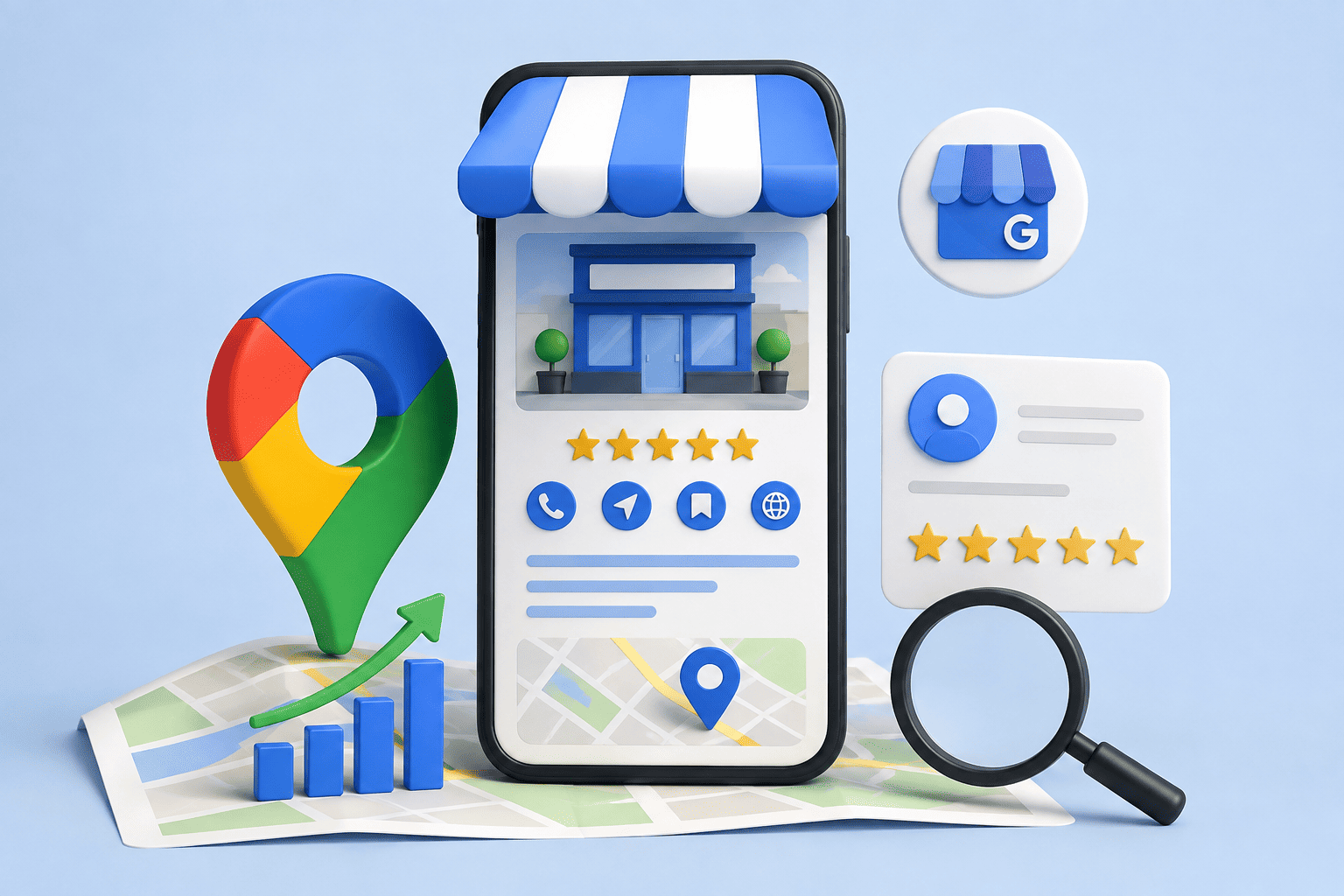
If you run a local business, being visible when customers search for your products or services online can make a major difference to your growth. One of the most important tools for improving your local online presence is Google Business Profile.
A well-optimized Google Business Profile can help potential customers discover your business on Google Search and Google Maps, find your phone number and website, check your opening hours, read customer reviews, get directions, and learn more about your products or services. Google provides Business Profiles at no charge and allows eligible businesses to manage how they appear on Search and Maps.
However, simply creating a profile is not enough. Your business information needs to be accurate, complete, relevant, and regularly maintained.
In this guide, we’ll walk through Google Business Profile optimization step by step, including categories, business information, reviews, photos, posts, local SEO, citations, performance tracking, and common mistakes to avoid.
What Is Google Business Profile?
Google Business Profile (GBP) is a free Google tool that allows eligible businesses to manage how their business information appears across Google Search and Google Maps.
Depending on the type of business, customers may see information such as:
- Business name
- Address or service area
- Phone number
- Website
- Opening hours
- Business category
- Photos and videos
- Customer reviews
- Products or services
- Business updates and posts
- Directions and other customer actions
For local businesses, GBP works as an important connection between your business and customers searching for nearby products or services.
For example, someone searching for “dentist near me,” “digital marketing agency in Delhi,” or “best restaurant near me” may see local business results before they visit an individual website.
That makes Google Business Profile optimization an important part of a broader local SEO strategy.
Why Google Business Profile Optimization Matters
A complete and accurate profile can make it easier for customers to understand what your business offers and how to contact you.
Google states that complete and accurate business information is more likely to appear in relevant local search results. Its local ranking guidance also highlights relevance, accurate information, reviews, and photos as important parts of managing a Business Profile.
Effective GBP optimization can help support:
- Greater local search visibility
- More customer calls
- More website visits
- More direction requests
- Greater customer confidence
- Better visibility on Google Maps
- A stronger local online presence
- More opportunities to convert local searches into customers
It is important to remember that GBP optimization does not guarantee a particular Google ranking. Local visibility depends on several factors, including relevance, distance, prominence, competition, website signals, reviews, and the overall strength of your local SEO presence.
Google Business Profile Optimization: Step-by-Step
1. Claim and Verify Your Google Business Profile
The first step is to claim your business profile and complete Google’s verification process.
Verification helps Google establish that you are authorized to represent the business. The verification method available to you can vary depending on the business and Google’s requirements.
Before proceeding, make sure the business information you provide is accurate.
A verified and properly managed profile gives you greater control over important information customers see on Google.
Tip: If your profile is already claimed by someone else or you discover an existing listing, avoid immediately creating another profile. Duplicate profiles can create confusion and may violate Google’s guidelines, which generally call for one profile per business.
2. Choose the Right Business Category
Your business category helps Google understand what your business is and which searches may be relevant to it.
Choose a primary category that most accurately describes your core business. You can also add relevant additional categories when appropriate.
For example, a business should choose the most specific applicable category rather than selecting multiple categories simply because they contain valuable keywords.
Google recommends using as few categories as necessary to describe the overall core business and choosing categories that represent what the business is, rather than everything it offers.
Common category mistakes
Avoid:
- Selecting unrelated categories
- Adding categories simply for keywords
- Choosing too many categories
- Using a competitor’s category without relevance
- Changing categories repeatedly without a valid reason
The right category can improve the relevance of your profile for local searches.
3. Optimize Your Business Name
Your Google Business Profile name should reflect your real-world business name.
Do not add extra keywords, locations, slogans, services, or promotional phrases simply to try to improve rankings.
For example, if the real business name is:
DigiPromoters
Do not turn it into:
DigiPromoters Best Digital Marketing Agency in Delhi NCR SEO Google Ads
Keyword stuffing in the business name can violate Google’s guidelines and may create problems with the profile. Google specifically requires businesses to use the name they consistently use in the real world.
Use your business name as customers actually recognize it.
4. Write an Effective Business Description
Your business description should quickly explain who you are, what you offer, and what makes your business useful to customers.
Include:
- Main products or services
- Areas served
- Your experience or specialization
- What differentiates your business
- Relevant keywords naturally
Example
DigiPromoters is a digital marketing agency helping businesses improve their online visibility through SEO, Google Business Profile optimization, Google Ads, content marketing, and local SEO strategies.
Keep the description informative rather than turning it into an advertisement. Google advises businesses to focus their description on useful information about their services, products, mission, or history and not use it primarily for promotions or links.
5. Add Accurate Business Information
Make sure every important field is complete and correct.
Check your:
- Business address
- Phone number
- Website
- Business hours
- Holiday or special hours
- Service area
- Contact details
- Business attributes
Incorrect opening hours can frustrate customers. An outdated phone number can result in lost leads. An incorrect address can make it difficult for customers to reach you.
Google recommends keeping business information complete and up to date because accurate information helps customers understand what you do, where you are, and when they can visit.
6. Add High-Quality Photos and Videos
Visual content can make your Business Profile more useful and trustworthy.
Consider adding:
- Business logo
- Cover image
- Exterior photos
- Interior photos
- Product photos
- Team photos
- Service or project photos
- Short videos
For example, a restaurant could upload photographs of its dining area, menu items, entrance, and team. A clinic could show its reception area, facilities, staff, and treatment environment.
Avoid uploading blurry, misleading, outdated, or irrelevant images.
Think about what a customer would want to see before deciding to contact or visit your business.
7. Optimize Your Products and Services
If your Business Profile supports products or services, use these sections to clearly communicate what you offer.
For service businesses, organize services logically and add useful descriptions where appropriate.
For example, a digital marketing agency might list:
- SEO Services
- Local SEO
- Google Ads Management
- Social Media Marketing
- Content Marketing
- Google Business Profile Optimization
Google notes that services can sometimes be highlighted when customers search for relevant offerings, and businesses may be able to group services and add descriptions.
Keep service names accurate. Do not turn them into keyword-stuffed descriptions.
8. Get More Genuine Google Reviews
Customer reviews are one of the most visible parts of a local business profile.
Reviews can help potential customers evaluate your business and can also contribute to your overall local search presence. Google recommends responding to reviews because it demonstrates that you value customer feedback.
The best approach is to consistently deliver a good customer experience and politely ask genuine customers to leave honest feedback.
Example review request
“Thank you for choosing us. If you were happy with our service, we’d really appreciate it if you could share your honest experience on Google. Your feedback helps our business and helps future customers make informed decisions.”
How to respond to reviews
For positive reviews:
“Thank you for your kind feedback! We’re glad you had a great experience and look forward to serving you again.”
For negative reviews:
“Thank you for sharing your feedback. We’re sorry your experience did not meet expectations. We’d appreciate the opportunity to understand what happened and work toward resolving the issue.”
Never buy fake reviews or create reviews yourself. Authentic customer feedback is far more valuable than artificially inflating your rating.
9. Publish Google Business Profile Posts
Google Business Profile posts can help you communicate current information directly through your profile.
You can use posts for:
- Offers
- Events
- Business updates
- New products
- Service announcements
- Company news
- Helpful information
Google currently supports post formats such as Updates, Offers, and Events, with posts appearing in areas of Search and Maps.
For example, a restaurant could publish a new seasonal menu announcement, while a local service provider could highlight a newly introduced service.
The goal should be to provide useful, timely information—not to publish repetitive promotional content.
10. Add and Answer Questions
The Questions & Answers functionality can help potential customers find information about your business.
Think about common questions customers ask before contacting you.
For example:
- Do you provide home service?
- Do you accept appointments?
- What areas do you serve?
- Do you offer consultations?
- Is parking available?
- What payment methods do you accept?
Where the feature is available, providing clear and accurate information can reduce customer uncertainty and make the profile more useful.
11. Keep Your Profile Updated
Google Business Profile optimization is not a one-time task.
Businesses change over time. Your profile should change with them.
Regularly check:
- Business hours
- Special holiday hours
- Services
- Photos
- Contact information
- Website links
- Business details
- Offers and announcements
Google can also receive information from other sources and may make updates to a Business Profile when it detects information that appears outdated or incorrect.
Regular monitoring helps you catch inaccurate information before it creates problems for customers.
12. Maintain NAP Consistency
NAP stands for Name, Address, and Phone Number.
For local SEO, your core business information should be consistent across important online locations.
Check your information across:
- Your website
- Google Business Profile
- Business directories
- Local directories
- Social media profiles
- Industry websites
- Other relevant business listings
For example, if your Google profile has one phone number while several important directories show an old number, customers and search engines may encounter conflicting information.
Consistency supports a more reliable local online presence.
13. Build Local Citations and Relevant Links
A local citation is a mention of your business information on another website or directory.
Depending on your industry, relevant citations might include:
- Local business directories
- Industry directories
- Chamber of commerce websites
- Professional associations
- Local publications
- Relevant business websites
Focus on quality and relevance rather than submitting your business to hundreds of low-quality directories.
Relevant links and mentions from trustworthy websites can also support your broader local SEO strategy.
The objective is not simply to collect links. It is to build credibility and make your business easier to discover across the local web.
14. Track Google Business Profile Performance
Optimization becomes more effective when you measure results.
Google provides Business Profile performance information that can help businesses understand how customers interact with their profiles. Available metrics and features can change over time and by profile.
Depending on your profile, you may be able to review information related to:
- Customer searches
- Profile interactions
- Website clicks
- Calls
- Direction requests
- Bookings or other actions
- Search terms
Google’s current documentation also describes performance information such as impressions, website clicks, direction requests, bookings, and search keywords in supported experiences.
Use this information to identify patterns.
For example, if many people discover your business through a particular service-related search, you can make sure that service is clearly represented across your profile and website.
Common Google Business Profile Optimization Mistakes
Even a profile with lots of information can perform poorly if it is managed incorrectly.
Avoid these common mistakes:
Keyword stuffing
Do not force keywords into your business name, descriptions, services, or posts.
Wrong business category
Choosing an irrelevant category simply because it sounds popular can reduce relevance and may violate Google’s guidelines.
Incomplete information
Missing phone numbers, hours, services, or website information can create unnecessary friction for customers.
Ignoring reviews
A business that never responds to customer feedback misses an opportunity to demonstrate engagement and professionalism.
Poor-quality photos
Blurry or outdated images can make your business look less trustworthy.
Outdated business hours
Always update holiday and special hours when your schedule changes.
Fake reviews
Buying reviews or manipulating ratings can damage your reputation and violate platform policies.
Duplicate listings
Creating multiple profiles for the same business can cause confusion and profile-management problems. Google generally recommends one profile per business.
Ignoring local SEO
GBP should work together with your website, reviews, citations, content, and other local SEO activities—not operate in isolation.
Google Business Profile Optimization Checklist
Use this quick checklist to review your profile:
- Business profile is claimed and verified
- Real-world business name is used
- Primary category accurately represents the business
- Relevant additional categories are selected
- Business description is complete and useful
- Address or service area is accurate
- Phone number is correct
- Website is linked correctly
- Business hours are updated
- Special hours are added when necessary
- High-quality photos are uploaded
- Relevant videos are added where appropriate
- Products or services are clearly listed
- Genuine customer reviews are encouraged
- Reviews are answered professionally
- Useful Google Business Profile posts are published
- Customer questions are monitored and answered where applicable
- NAP information is consistent across important websites
- Relevant local citations are maintained
- Profile performance is monitored regularly
- Duplicate or inaccurate listings are addressed
How DigiPromoters Can Help
Managing a Google Business Profile properly takes more than filling out a few fields. It requires accurate information, ongoing updates, review management, local SEO, content, and performance monitoring.
DigiPromoters helps businesses strengthen their digital presence through practical, data-driven digital marketing strategies.
Our services can include:
- Google Business Profile optimization
- Local SEO
- Google Maps SEO
- Website SEO
- SEO strategy
- Content marketing
- Online visibility improvement
- Digital marketing strategy
Whether you operate a restaurant, clinic, real estate business, retail store, professional service company, or another local business, the goal is the same: make it easier for the right customers to discover and trust your business online.
DigiPromoters focuses on sustainable digital marketing rather than unrealistic ranking promises. Google itself warns businesses to be cautious of third parties that guarantee placement in Google Search or Maps, because no legitimate agency can promise a specific ranking.
If your Business Profile is incomplete, outdated, poorly optimized, or simply not generating the visibility you expect, professional guidance can help you identify opportunities and build a stronger local search strategy.
Want to improve your local online presence? Contact DigiPromoters to discuss your Google Business Profile, local SEO, and broader digital marketing goals.
Frequently Asked Questions
What is Google Business Profile optimization?
Google Business Profile optimization is the process of improving and maintaining your business profile so that its information is accurate, complete, relevant, and useful to customers searching on Google Search and Google Maps.
How do I optimize my Google Business Profile?
Start by verifying the profile, choosing the correct primary category, using your real business name, completing your business information, adding quality photos, listing relevant services, encouraging genuine reviews, publishing useful updates, and keeping the profile current.
How long does Google Business Profile optimization take?
Basic optimization can be completed relatively quickly, but effective local SEO is ongoing. Businesses should continue monitoring their profile, reviews, information, content, and performance rather than treating optimization as a one-time task.
Does Google Business Profile help with local SEO?
Yes. A Business Profile is an important part of local SEO because it helps businesses manage how they appear on Google Search and Maps. However, GBP alone does not guarantee higher rankings. Google considers multiple factors when determining local results.
How can I rank higher on Google Maps?
Start with an accurate and verified Business Profile, choose the most relevant category, maintain complete information, earn genuine reviews, add useful photos and content, and build a strong local SEO presence. Your website, local relevance, reputation, and competition also matter.
How often should I update my Google Business Profile?
Review your profile regularly and update it whenever your business information changes. You should especially check business hours, special hours, services, photos, contact details, and announcements.
Do Google reviews help local SEO?
Reviews are an important part of a local business’s online reputation and can help customers evaluate a business. Google also recommends responding to reviews as part of managing your Business Profile.
Can a digital marketing agency manage my Google Business Profile?
Yes. Businesses can work with a digital marketing agency to manage and improve their Business Profile and broader local SEO strategy. However, the business should retain appropriate ownership and access and work with a transparent agency that does not promise guaranteed Google rankings.
SEO Metadata
SEO Title:
Google Business Profile Optimization: Step-by-Step Guide
Meta Description:
Learn Google Business Profile optimization step by step to improve local SEO, Google Maps visibility, customer trust, calls, visits, and leads.
URL Slug:
google-business-profile-optimization
Primary Keyword:
Google Business Profile Optimization
Secondary Keywords:
- Google Business Profile
- Google Business Profile optimization
- GBP optimization
- Google Maps SEO
- local SEO
- Google My Business optimization
- optimize Google Business Profile
- Google Business Profile management
- Google Maps ranking
- local business SEO
- local search ranking
- Google Business Profile verification
- Google reviews
- local citations
- NAP consistency
- local keywords
- Google Business Profile posts
- business categories
- customer reviews
- local search visibility
- online presence for local businesses
Internal Linking Suggestions
1. Anchor Text: Local SEO Services
Recommended page/topic: DigiPromoters Local SEO service page
Placement: In the introduction or the section discussing local search visibility.
2. Anchor Text: SEO Services
Recommended page/topic: DigiPromoters SEO service page
Placement: In the section explaining how GBP works together with broader SEO.
3. Anchor Text: Google Ads Management
Recommended page/topic: DigiPromoters Google Ads service page
Placement: In the conclusion or DigiPromoters services section.
4. Anchor Text: Digital Marketing Services
Recommended page/topic: DigiPromoters main digital marketing services page
Placement: In the DigiPromoters section when discussing broader digital marketing strategies.
5. Anchor Text: Google Maps SEO
Recommended page/topic: DigiPromoters Google Maps/local search service page
Placement: In the sections about Google Maps ranking and local SEO.
6. Anchor Text: Content Marketing Services
Recommended page/topic: DigiPromoters content marketing service page
Placement: In the section about Google Business Profile posts and useful local content.
7. Anchor Text: SEO Strategy for Small Businesses
Recommended page/topic: Relevant DigiPromoters blog or SEO strategy guide
Placement: Near the conclusion when explaining how GBP should be part of a broader SEO strategy.